Spin the Wheel Free Random Name Picker
Записи0
Що таке Spin the Wheel?
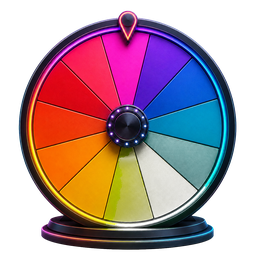
Spin the Wheel — це цифровий інструмент випадкового вибору, натхненний класичною концепцією колеса призів, популяризованої ігровими шоу, як-от «Колесо фортуни». Ви вводите список імен, параметрів або варіантів — кожен із них стає кольоровим сегментом на колесі. Коли ви обертаєтеся, інструмент використовує генератор випадкових чисел із рівномірним розподілом, щоб визначити, де приземлиться колесо, гарантуючи, що кожен запис має однакову ймовірність бути обраним. На відміну від підкидання монети чи малювання імен із капелюха, обертове колесо забезпечує візуально привабливий, прозорий і математично справедливий спосіб робити випадковий вибір. Весь процес працює як веб-додаток безпосередньо у вашому браузері — встановлення програмного забезпечення не вимагається.
Поширені ситуації
- Вибір того, хто буде першим під час занять у класі чи групових зборів
- Довільний вибір учня для відповіді на запитання під час уроку
- Вибір переможця для розіграшу в соціальних мережах, розіграшу чи конкурсу
- Прийняття повсякденних рішень, як-от планування їжі, вибір ресторану чи вечір кіно
- Справедливий розподіл домашніх обов’язків, завдань або проектних завдань між групою
- Порушення зв’язків або вирішення дебатів із неупередженим, прозорим випадковим результатом
Як працює Spin The Wheel
Додати записи
Введіть імена, параметри або варіанти на панелі введення тексту. Натисніть Enter або кнопку «Додати», щоб створити кожен запис. Кожен елемент стає кольоровим сегментом, а колесо налаштовує макет для списків різного розміру.
Налаштуйте колесо
Персоналізуйте своє колесо перед обертанням. Відредагуйте будь-який запис, двічі клацнувши його, видаліть елементи, які вам більше не потрібні, перемішайте порядок для різноманітності або виберіть кольорові теми, як-от Neon Nights, Pastel Dream або Cool Ocean. Зміни відображаються в реальному часі на полотні HTML5.
Крути колесо
Щоб запустити анімацію, клацніть кнопку SPIN. Колесо прискорюється, обертається з фізичним послабленням і поступово сповільнюється. Коли він зупиняється, вказівник вказує на випадково вибраного переможця — визначеного генератором випадкових чисел перед початком анімації.
Популярні способи використання Spin Wheel
Вибір назви класу
Вчителі та педагоги використовують колесо як інструмент керування класом, щоб випадково викликати учнів, формувати навчальні групи, призначати порядок презентації або вибирати волонтерів. Він сприяє рівноправній участі, зменшує фаворитизм і підвищує залучення студентів до навчання в K-12 і вищих навчальних закладах.
Вибір переможця розіграшу
Проводьте прозорі розіграші та розіграші, вводячи імена учасників зі свого конкурсу в Instagram, YouTube, TikTok або прямого ефіру. Покрутіть колесо на камері, щоб ваша аудиторія могла спостерігати за вибором переможця в режимі реального часу, зміцнюючи довіру та підвищуючи зацікавленість під час рекламних заходів і кампаній бренду.
Особа, яка приймає рішення
Подолайте перевантаження вибором і когнітивну упередженість, дозволивши колесу вирішувати. Додайте параметри, як-от ресторани, назви фільмів, ідеї для мозкового штурму або теми командних зустрічей — а потім обертайте для миттєвого неупередженого результату. Це перетворює стресові групові рішення на веселий досвід спільної роботи.
Ігри для вечірок
Додайте азарту вечіркам ігор, дням народженням і заходам з формування команди. Використовуйте колесо для змагань на правду чи сміливість, командних завдань із дрібниць, підказок льодокола або будь-якої діяльності, для якої потрібен випадковий вибір. Обертова анімація створює напруження та розважає всіх.
Ключові характеристики
Гнучкі списки записів
Додавайте, редагуйте, видаляйте та перемішуйте імена чи параметри. Розміри сегментів налаштовуються автоматично, коли ваш список змінюється.
Спеціальні кольори
Вибирайте з підібраних палітр кольорів — «За замовчуванням», «Неонові ночі», «Пастельний сон», «Теплий захід» і «Прохолодний океан». Кожна тема розроблена з урахуванням візуальної доступності та контрасту.
Збережені колеса
Зберігайте іменовані списки коліс у цьому браузері та знову відкривайте їх із меню попередніх налаштувань, коли вони вам знадобляться.
Видалити переможців
Після кожного обертання вилучайте вибраного переможця одним клацанням миші — ідеально підходить для турнірів у стилі вибування, багатораундових розіграшів і послідовних процесів відбору, де заборонено повторювати вибір.
Кросплатформенність
Створено з адаптивним дизайном, який адаптується до настільних комп’ютерів, планшетів і мобільних пристроїв. Зручний для сенсорного екрану з оптимізованими елементами керування для кожного сучасного веб-браузера — Chrome, Safari, Firefox і Edge.
83 free tools
Explore All Spin Wheel Tools
Choose a purpose-built wheel for decisions, numbers, colors, games, and more.
Core Spin Wheel Tools
5 tools- Custom Spin WheelAdd any names or choices, personalize the colors, and spin a wheel made for your exact decision, game, classroom, or giveaway.
- Decision Maker WheelWhen every option feels possible, put the choices on the wheel and turn a difficult decision into one clear random result.
- Yes or No WheelAsk a question with two acceptable outcomes, spin the equal Yes and No segments, and get a quick random answer.
- Random Picker WheelTurn any list into a visual random picker for names, options, prizes, activities, and everyday choices.
- Weighted Spin WheelCreate transparent weighting by repeating a choice: more visible segments give that choice a proportionally higher chance without hiding the setup.
Number Wheels
6 tools- Number Wheel 1–100Spin every whole number from 1 through 100 for classroom activities, games, percentage challenges, and random draws.
- Number Wheel 0–10Pick an integer from zero through ten for simple games, early-number lessons, ratings, and quick random prompts.
- Number Wheel 0–20Spin a complete 0-to-20 number line for student activities, small games, counting practice, and no-repeat selections.
- Number Wheel 1–500Choose one value from 500 equally eligible numbers for giveaways, large drawings, numbered lists, and random-number games.
- Number Wheel 1–1000Draw one number from a full 1-to-1,000 range for large participant lists, numbered giveaways, simulations, and games.
- Number Wheel 1–67Spin the exact range from 1 through 67 for numbered rosters, custom games, classroom lists, and equal-chance drawings.
Color, Hair & Style Wheels
10 tools- Color Picker WheelSpin a vivid palette to choose a random color for artwork, outfits, games, room ideas, and creative challenges.
- Eye Color WheelChoose an eye color for a new character, portrait, original character design, or drawing prompt with one spin.
- Hair Color WheelSpin natural and fantasy hair shades to inspire a character, illustration, avatar, makeover concept, or style challenge.
- Hairstyle WheelChoose from everyday cuts, protective styles, statement looks, and creative silhouettes for art prompts and character concepts.
- Haircut WheelAdd or edit haircut entries, spin the wheel, and use the page's dedicated calculator for short haircuts.
- Hair Length WheelAdd or edit hair length entries, spin the wheel, and use the page's dedicated calculator for character creation.
- Hair Type WheelAdd or edit hair type entries, spin the wheel, and use the page's dedicated calculator for character design.
- Skin Color WheelAdd or edit skin color entries, spin the wheel, and use the page's dedicated calculator for character design.
- Aesthetic WheelAdd or edit aesthetic entries, spin the wheel, and use the page's dedicated calculator for fashion aesthetics.
- Outfit Style WheelAdd or edit outfit style entries, spin the wheel, and use the page's dedicated calculator for casual styles.
Food & Restaurant Wheels
2 toolsOther Spin Wheels
2 toolsCountry & Place Wheels
4 tools- Country WheelAdd or edit country entries, spin the wheel, and use the page's dedicated calculator for travel ideas.
- European Countries WheelAdd or edit european countries entries, spin the wheel, and use the page's dedicated calculator for travel inspiration.
- US States WheelAdd or edit us states entries, spin the wheel, and use the page's dedicated calculator for geography games.
- Zambia WheelAdd or edit zambia entries, spin the wheel, and use the page's dedicated calculator for places.
Sports Wheels
8 tools- Basketball Teams WheelAdd or edit basketball teams entries, spin the wheel, and use the page's dedicated calculator for team challenges.
- NBA Teams WheelAdd or edit nba teams entries, spin the wheel, and use the page's dedicated calculator for team challenges.
- NFL Teams WheelAdd or edit nfl teams entries, spin the wheel, and use the page's dedicated calculator for football challenges.
- MLB Teams WheelAdd or edit mlb teams entries, spin the wheel, and use the page's dedicated calculator for baseball challenges.
- Premier League WheelAdd or edit premier league entries, spin the wheel, and use the page's dedicated calculator for team challenges.
- Soccer Players WheelAdd or edit soccer players entries, spin the wheel, and use the page's dedicated calculator for player challenges.
- UFC Fighters WheelAdd or edit ufc fighters entries, spin the wheel, and use the page's dedicated calculator for fantasy matchups.
- World Cup WheelAdd or edit world cup entries, spin the wheel, and use the page's dedicated calculator for team challenges.
Gaming Wheels
9 tools- Roblox WheelAdd or edit roblox entries, spin the wheel, and use the page's dedicated calculator for roblox games.
- Pokemon WheelAdd or edit pokemon entries, spin the wheel, and use the page's dedicated calculator for pokemon challenges.
- League of Legends WheelAdd or edit league of legends entries, spin the wheel, and use the page's dedicated calculator for champion picks.
- Apex Legends WheelAdd or edit apex legends entries, spin the wheel, and use the page's dedicated calculator for legend picks.
- Valorant Agents WheelAdd or edit valorant agents entries, spin the wheel, and use the page's dedicated calculator for agent challenges.
- Marvel Rivals WheelAdd or edit marvel rivals entries, spin the wheel, and use the page's dedicated calculator for hero challenges.
- Dandy's World WheelAdd or edit dandy's world entries, spin the wheel, and use the page's dedicated calculator for character picks.
- DTI Themes WheelAdd or edit dti themes entries, spin the wheel, and use the page's dedicated calculator for outfit challenges.
- ZZZ Characters WheelAdd or edit zzz characters entries, spin the wheel, and use the page's dedicated calculator for character challenges.
Anime & Character Wheels
6 tools- Anime Characters WheelAdd or edit anime characters entries, spin the wheel, and use the page's dedicated calculator for drawing challenges.
- JJK Characters WheelAdd or edit jjk characters entries, spin the wheel, and use the page's dedicated calculator for character picks.
- BFDI WheelAdd or edit bfdi entries, spin the wheel, and use the page's dedicated calculator for character picks.
- Disney Movies WheelAdd or edit disney movies entries, spin the wheel, and use the page's dedicated calculator for movie night.
- Quirk WheelAdd or edit quirk entries, spin the wheel, and use the page's dedicated calculator for character creation.
- OC WheelAdd or edit oc entries, spin the wheel, and use the page's dedicated calculator for appearance ideas.
Entertainment Wheels
8 tools- Movie WheelAdd or edit movie entries, spin the wheel, and use the page's dedicated calculator for movie night ideas.
- TV Show WheelAdd or edit tv show entries, spin the wheel, and use the page's dedicated calculator for binge-watch ideas.
- KPOP WheelAdd or edit kpop entries, spin the wheel, and use the page's dedicated calculator for group picks.
- KATSEYE WheelAdd or edit katseye entries, spin the wheel, and use the page's dedicated calculator for member picks.
- KATSEYE Songs WheelAdd or edit katseye songs entries, spin the wheel, and use the page's dedicated calculator for listening challenges.
- YouTuber WheelAdd or edit youtuber entries, spin the wheel, and use the page's dedicated calculator for creator challenges.
- Underground Rappers WheelAdd or edit underground rappers entries, spin the wheel, and use the page's dedicated calculator for music challenges.
- Meme WheelAdd or edit meme entries, spin the wheel, and use the page's dedicated calculator for meme challenges.
Kids & Student Wheels
4 tools- Kids WheelAdd or edit kids entries, spin the wheel, and use the page's dedicated calculator for games.
- Questions for Kids WheelAdd or edit questions for kids entries, spin the wheel, and use the page's dedicated calculator for funny questions.
- Student Questions WheelAdd or edit student questions entries, spin the wheel, and use the page's dedicated calculator for icebreakers.
- Ice Breaker Questions WheelAdd or edit ice breaker questions entries, spin the wheel, and use the page's dedicated calculator for work icebreakers.
Party & Question Wheels
5 tools- Funny Questions WheelAdd or edit funny questions entries, spin the wheel, and use the page's dedicated calculator for friends.
- Couples Questions WheelAdd or edit couples questions entries, spin the wheel, and use the page's dedicated calculator for flirty questions.
- Adult Ideas WheelAdd or edit adult ideas entries, spin the wheel, and use the page's dedicated calculator for party activities.
- Truth or Dare WheelAdd or edit truth or dare entries, spin the wheel, and use the page's dedicated calculator for truth questions.
- Drinking Game WheelAdd or edit drinking game entries, spin the wheel, and use the page's dedicated calculator for party challenges.
Giveaway & Prize Wheels
4 tools- Giveaway WheelAdd or edit giveaway entries, spin the wheel, and use the page's dedicated calculator for name picker.
- Raffle WheelAdd or edit raffle entries, spin the wheel, and use the page's dedicated calculator for ticket draws.
- Prize WheelAdd or edit prize entries, spin the wheel, and use the page's dedicated calculator for giveaway prizes.
- Elimination WheelAdd or edit elimination entries, spin the wheel, and use the page's dedicated calculator for remove selected entries.
Drawing & Creative Wheels
3 tools- Drawing WheelAdd or edit drawing entries, spin the wheel, and use the page's dedicated calculator for things to draw.
- Emoji WheelAdd or edit emoji entries, spin the wheel, and use the page's dedicated calculator for drawing games.
- Logo WheelAdd or edit logo entries, spin the wheel, and use the page's dedicated calculator for drawing challenges.
Animal Wheels
2 toolsNames, Personality & Traits
5 tools- Japanese Girl Names WheelAdd or edit japanese girl names entries, spin the wheel, and use the page's dedicated calculator for character names.
- Personality WheelAdd or edit personality entries, spin the wheel, and use the page's dedicated calculator for oc creation.
- Zodiac Signs WheelAdd or edit zodiac signs entries, spin the wheel, and use the page's dedicated calculator for games.
- Gender WheelAdd or edit gender entries, spin the wheel, and use the page's dedicated calculator for character creation.
- Elements WheelAdd or edit elements entries, spin the wheel, and use the page's dedicated calculator for fantasy elements.
Часті запитання
Як працює Spin the Wheel?
Spin the Wheel використовує генератор випадкових чисел, щоб визначити, де зупиняється колесо. Ви додаєте імена або параметри до списку записів — кожен стає кольоровим сегментом на колесі. Коли ви натискаєте ОКРУТИТИ, анімація HTML5 Canvas прискорюється та поступово сповільнюється за допомогою фізичного ослаблення. Остаточна посадкова позиція розраховується за допомогою ймовірності рівномірного розподілу перед початком анімації, гарантуючи, що кожен запис має однакові шанси бути обраним. Кожне обертання є статистично незалежним.
Що таке випадковий вибір Spin the Wheel?
Випадковий вибір Spin the Wheel — це безкоштовний онлайн-інструмент, створений за моделлю класичного призового колеса — схожого на концепцію «Колеса фортуни». Ви вводите імена, варіанти або елементи в цифрове колесо, обертаєте його, і генератор випадкових чисел вибирає переможця. Він зазвичай використовується як засіб випадкового вибору імен для класних кімнат, засіб вибору переможців розіграшу для конкурсів у соціальних мережах, засіб прийняття рішень для групового вибору та випадковий вибір для групових ігор і групових заходів.
Чи можу я створити спеціальний Spin the Wheel?
так Ви можете налаштувати своє колесо за допомогою гнучкого списку записів, редагувати або змінювати порядок елементів, вибирати кольорову тему та зберігати іменовані списки в цьому браузері. Зміни з’являються відразу, обліковий запис не потрібен.
Чи можу я зробити власну прядку?
Абсолютно. Відвідайте spinsthewheel.com, введіть свої записи на панелі, і ваше спеціальне обертове колесо буде готове за лічені секунди. Ви можете зберегти конфігурації коліс у локальній пам’яті браузера для швидкого доступу пізніше. Веб-програма сумісна з різними платформами та працює на настільних комп’ютерах, планшетах і смартфонах під керуванням Chrome, Safari, Firefox або Edge.
Чи можу я використовувати Spin the Wheel для прийняття рішень?
Так, Spin the Wheel широко використовується як інструмент прийняття рішень. Це допомагає подолати перевантаження вибором і когнітивні упередження, надаючи випадковий, неупереджений результат. Додайте варіанти, як-от ресторани, назви фільмів, ідеї для мозкового штурму, напрямки подорожей або теми командних зустрічей — а потім покрутіть, щоб вибрати колесо. Він ефективний як для індивідуальних рішень, так і для групових консенсусних ситуацій.
Spin the Wheel сфальсифіковано?
Ні. Spin the Wheel використовує справді випадковий алгоритм, заснований на рівномірному розподілі — той самий математичний принцип, який використовується в теорії ймовірностей і статистичній вибірці. Кожен спін є повністю незалежним; попередні результати не впливають на майбутні результати. Випадковість еквівалентна витягуванню з ідеально перемішаної колоди карт. Інструмент створено для справедливості та прозорості кожного вибору.
Чи можу я використовувати колесо для прийняття рішень «Так» чи «Ні»?
так Додайте «Так» і «Ні» як ваші два записи, щоб створити двійкове колесо вибору — візуальну альтернативу підкиданню монети. Ви також можете завантажити попередньо встановлені шаблони, які включають такі загальні конфігурації, як «Так/Ні», «Числа 1-10», «Кістки 1-6» і «Алфавіт A-Z» для миттєвого налаштування без ручного введення даних.
Чи можу я додати призи до колеса?
так Будь-який текст можна ввести як сегмент колеса, включаючи назви призів, рівні винагород, номінали подарункових карток або описи продуктів. Це робить інструмент ідеальним для фірмових дисків призів на рекламних заходах, виставкових стендах, роздачах у соціальних мережах та призових іграх, де кожен сегмент представляє окремий приз або результат.