Spin the Wheel Free Random Name Picker
Upisi0
Što je Spin the Wheel?
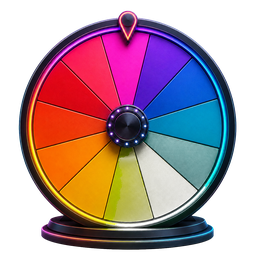
Spin the Wheel digitalni je alat za nasumični odabir inspiriran klasičnim konceptom nagradnog kotača koji su popularizirale emisije poput Wheel of Fortune. Unesite popis imena, opcija ili izbora — svaki od njih postaje obojeni segment na kotačiću. Kad se okrenete, alat koristi generator slučajnih brojeva s ravnomjernom distribucijom kako bi odredio gdje će kotač stati, osiguravajući da svaki unos ima jednaku vjerojatnost da bude odabran. Za razliku od bacanja novčića ili izvlačenja imena iz šešira, kotač koji se okreće pruža vizualno privlačan, transparentan i matematički pošten način za nasumične odabire. Cjelokupno iskustvo radi kao web aplikacija izravno u vašem pregledniku — nije potrebna instalacija softvera.
Uobičajene situacije
- Odabir tko ide prvi u aktivnosti u učionici ili timskom sastanku
- Slučajni odabir učenika koji će odgovoriti na pitanje tijekom lekcije
- Odabir pobjednika za nagradnu igru na društvenim mrežama, tombolu ili natjecanje
- Donošenje svakodnevnih odluka poput planiranja obroka, odabira restorana ili odabira filmske večeri
- Pravilna raspodjela poslova, zadataka ili projektnih zadataka među grupom
- Prekidanje veza ili rješavanje rasprava s nepristranim, transparentnim nasumičnim rezultatom
Kako Spin The Wheel funkcionira
Dodaj unose
Upišite nazive, opcije ili izbore u ploču za unos teksta. Pritisnite Enter ili kliknite gumb za dodavanje za stvaranje svakog unosa. Svaka stavka postaje segment u boji, a kotačić prilagođava izgled za popise različitih veličina.
Prilagodite kotač
Personalizirajte svoj kotač prije vrtnje. Uredite bilo koji unos tako da ga dvaput kliknete, izbrišite stavke koje vam više ne trebaju, promiješajte redoslijed radi raznolikosti ili odaberite neku od tema boja kao što su Neonske noći, Pastelni san i Cool Ocean. Promjene se prikazuju u stvarnom vremenu na HTML5 platnu.
Zavrti kotač
Kliknite gumb ZAVRTI za početak animacije. Kotač ubrzava, okreće se uz fizikalno usporavanje i postupno usporava. Kada se zaustavi, pokazivač označava vašeg nasumično odabranog pobjednika — kojeg određuje generator slučajnih brojeva prije početka animacije.
Popularni načini korištenja Spin Wheela
Birač naziva učionice
Učitelji i nastavnici koriste kotač kao alat za upravljanje razredom za nasumično pozivanje učenika, formiranje grupa za učenje, dodjeljivanje redoslijeda prezentacije ili odabir volontera. Promiče ravnopravno sudjelovanje, smanjuje favoriziranje i povećava angažman učenika u K-12 obrazovanju i okruženjima visokog obrazovanja.
Birač pobjednika u nagradnoj igri
Pokrenite transparentna darivanja i nagradne igre unosom imena sudionika s vašeg Instagrama, YouTubea, TikToka ili natjecanja u prijenosu uživo. Zakrenite kotačić na kameri kako bi vaša publika mogla gledati odabir pobjednika u stvarnom vremenu - izgradnja povjerenja i jačanje angažmana za promotivne događaje i kampanje robnih marki.
Donositelj odluka
Prevladajte preopterećenost izborom i kognitivnu pristranost dopuštajući kotaču da odlučuje. Dodajte opcije kao što su restorani, naslovi filmova, ideje za razmišljanje ili teme za timske sastanke — a zatim zavrtite za trenutni, nepristran rezultat. Pretvara stresne grupne odluke u zabavno iskustvo suradnje.
Igre za zabavu
Dodajte uzbuđenje večerima igranja, rođendanskim zabavama i događanjima za izgradnju tima. Koristite kotač za izazove istine ili izazova, timske zadatke s trivijalnostima, upute za probijanje leda ili bilo koju aktivnost za koju je potreban nasumični birač. Vrteća se animacija stvara neizvjesnost i zabavlja sve.
Ključne značajke
Fleksibilni popisi unosa
Dodavanje, uređivanje, uklanjanje i miješanje imena ili opcija. Veličine segmenata prilagođavaju se automatski kako se vaš popis mijenja.
Prilagođene boje
Birajte između odabranih paleta boja — Zadano, Neonske noći, Pastelni san, Topli zalazak sunca i Hladni ocean. Svaka je tema dizajnirana imajući na umu vizualnu pristupačnost i kontrast.
Spašeni kotači
Spremite imenovane popise kotača u ovom pregledniku i ponovno ih otvorite iz izbornika unaprijed postavljenih postavki kad god vam zatrebaju.
Ukloni pobjednike
Nakon svakog okretaja, uklonite odabranog pobjednika jednim klikom — idealno za turnire u stilu eliminacije, nagradne igre s više krugova i procese uzastopnog odabira gdje nije dopušteno ponavljanje izbora.
Više platformi
Izrađen s responzivnim dizajnom koji se prilagođava stolnim računalima, tabletima i mobilnim uređajima. Pogodan za dodirni zaslon s optimiziranim kontrolama za svaki moderni web preglednik — Chrome, Safari, Firefox i Edge.
83 free tools
Explore All Spin Wheel Tools
Choose a purpose-built wheel for decisions, numbers, colors, games, and more.
Core Spin Wheel Tools
5 tools- Custom Spin WheelAdd any names or choices, personalize the colors, and spin a wheel made for your exact decision, game, classroom, or giveaway.
- Decision Maker WheelWhen every option feels possible, put the choices on the wheel and turn a difficult decision into one clear random result.
- Yes or No WheelAsk a question with two acceptable outcomes, spin the equal Yes and No segments, and get a quick random answer.
- Random Picker WheelTurn any list into a visual random picker for names, options, prizes, activities, and everyday choices.
- Weighted Spin WheelCreate transparent weighting by repeating a choice: more visible segments give that choice a proportionally higher chance without hiding the setup.
Number Wheels
6 tools- Number Wheel 1–100Spin every whole number from 1 through 100 for classroom activities, games, percentage challenges, and random draws.
- Number Wheel 0–10Pick an integer from zero through ten for simple games, early-number lessons, ratings, and quick random prompts.
- Number Wheel 0–20Spin a complete 0-to-20 number line for student activities, small games, counting practice, and no-repeat selections.
- Number Wheel 1–500Choose one value from 500 equally eligible numbers for giveaways, large drawings, numbered lists, and random-number games.
- Number Wheel 1–1000Draw one number from a full 1-to-1,000 range for large participant lists, numbered giveaways, simulations, and games.
- Number Wheel 1–67Spin the exact range from 1 through 67 for numbered rosters, custom games, classroom lists, and equal-chance drawings.
Color, Hair & Style Wheels
10 tools- Color Picker WheelSpin a vivid palette to choose a random color for artwork, outfits, games, room ideas, and creative challenges.
- Eye Color WheelChoose an eye color for a new character, portrait, original character design, or drawing prompt with one spin.
- Hair Color WheelSpin natural and fantasy hair shades to inspire a character, illustration, avatar, makeover concept, or style challenge.
- Hairstyle WheelChoose from everyday cuts, protective styles, statement looks, and creative silhouettes for art prompts and character concepts.
- Haircut WheelAdd or edit haircut entries, spin the wheel, and use the page's dedicated calculator for short haircuts.
- Hair Length WheelAdd or edit hair length entries, spin the wheel, and use the page's dedicated calculator for character creation.
- Hair Type WheelAdd or edit hair type entries, spin the wheel, and use the page's dedicated calculator for character design.
- Skin Color WheelAdd or edit skin color entries, spin the wheel, and use the page's dedicated calculator for character design.
- Aesthetic WheelAdd or edit aesthetic entries, spin the wheel, and use the page's dedicated calculator for fashion aesthetics.
- Outfit Style WheelAdd or edit outfit style entries, spin the wheel, and use the page's dedicated calculator for casual styles.
Food & Restaurant Wheels
2 toolsOther Spin Wheels
2 toolsCountry & Place Wheels
4 tools- Country WheelAdd or edit country entries, spin the wheel, and use the page's dedicated calculator for travel ideas.
- European Countries WheelAdd or edit european countries entries, spin the wheel, and use the page's dedicated calculator for travel inspiration.
- US States WheelAdd or edit us states entries, spin the wheel, and use the page's dedicated calculator for geography games.
- Zambia WheelAdd or edit zambia entries, spin the wheel, and use the page's dedicated calculator for places.
Sports Wheels
8 tools- Basketball Teams WheelAdd or edit basketball teams entries, spin the wheel, and use the page's dedicated calculator for team challenges.
- NBA Teams WheelAdd or edit nba teams entries, spin the wheel, and use the page's dedicated calculator for team challenges.
- NFL Teams WheelAdd or edit nfl teams entries, spin the wheel, and use the page's dedicated calculator for football challenges.
- MLB Teams WheelAdd or edit mlb teams entries, spin the wheel, and use the page's dedicated calculator for baseball challenges.
- Premier League WheelAdd or edit premier league entries, spin the wheel, and use the page's dedicated calculator for team challenges.
- Soccer Players WheelAdd or edit soccer players entries, spin the wheel, and use the page's dedicated calculator for player challenges.
- UFC Fighters WheelAdd or edit ufc fighters entries, spin the wheel, and use the page's dedicated calculator for fantasy matchups.
- World Cup WheelAdd or edit world cup entries, spin the wheel, and use the page's dedicated calculator for team challenges.
Gaming Wheels
9 tools- Roblox WheelAdd or edit roblox entries, spin the wheel, and use the page's dedicated calculator for roblox games.
- Pokemon WheelAdd or edit pokemon entries, spin the wheel, and use the page's dedicated calculator for pokemon challenges.
- League of Legends WheelAdd or edit league of legends entries, spin the wheel, and use the page's dedicated calculator for champion picks.
- Apex Legends WheelAdd or edit apex legends entries, spin the wheel, and use the page's dedicated calculator for legend picks.
- Valorant Agents WheelAdd or edit valorant agents entries, spin the wheel, and use the page's dedicated calculator for agent challenges.
- Marvel Rivals WheelAdd or edit marvel rivals entries, spin the wheel, and use the page's dedicated calculator for hero challenges.
- Dandy's World WheelAdd or edit dandy's world entries, spin the wheel, and use the page's dedicated calculator for character picks.
- DTI Themes WheelAdd or edit dti themes entries, spin the wheel, and use the page's dedicated calculator for outfit challenges.
- ZZZ Characters WheelAdd or edit zzz characters entries, spin the wheel, and use the page's dedicated calculator for character challenges.
Anime & Character Wheels
6 tools- Anime Characters WheelAdd or edit anime characters entries, spin the wheel, and use the page's dedicated calculator for drawing challenges.
- JJK Characters WheelAdd or edit jjk characters entries, spin the wheel, and use the page's dedicated calculator for character picks.
- BFDI WheelAdd or edit bfdi entries, spin the wheel, and use the page's dedicated calculator for character picks.
- Disney Movies WheelAdd or edit disney movies entries, spin the wheel, and use the page's dedicated calculator for movie night.
- Quirk WheelAdd or edit quirk entries, spin the wheel, and use the page's dedicated calculator for character creation.
- OC WheelAdd or edit oc entries, spin the wheel, and use the page's dedicated calculator for appearance ideas.
Entertainment Wheels
8 tools- Movie WheelAdd or edit movie entries, spin the wheel, and use the page's dedicated calculator for movie night ideas.
- TV Show WheelAdd or edit tv show entries, spin the wheel, and use the page's dedicated calculator for binge-watch ideas.
- KPOP WheelAdd or edit kpop entries, spin the wheel, and use the page's dedicated calculator for group picks.
- KATSEYE WheelAdd or edit katseye entries, spin the wheel, and use the page's dedicated calculator for member picks.
- KATSEYE Songs WheelAdd or edit katseye songs entries, spin the wheel, and use the page's dedicated calculator for listening challenges.
- YouTuber WheelAdd or edit youtuber entries, spin the wheel, and use the page's dedicated calculator for creator challenges.
- Underground Rappers WheelAdd or edit underground rappers entries, spin the wheel, and use the page's dedicated calculator for music challenges.
- Meme WheelAdd or edit meme entries, spin the wheel, and use the page's dedicated calculator for meme challenges.
Kids & Student Wheels
4 tools- Kids WheelAdd or edit kids entries, spin the wheel, and use the page's dedicated calculator for games.
- Questions for Kids WheelAdd or edit questions for kids entries, spin the wheel, and use the page's dedicated calculator for funny questions.
- Student Questions WheelAdd or edit student questions entries, spin the wheel, and use the page's dedicated calculator for icebreakers.
- Ice Breaker Questions WheelAdd or edit ice breaker questions entries, spin the wheel, and use the page's dedicated calculator for work icebreakers.
Party & Question Wheels
5 tools- Funny Questions WheelAdd or edit funny questions entries, spin the wheel, and use the page's dedicated calculator for friends.
- Couples Questions WheelAdd or edit couples questions entries, spin the wheel, and use the page's dedicated calculator for flirty questions.
- Adult Ideas WheelAdd or edit adult ideas entries, spin the wheel, and use the page's dedicated calculator for party activities.
- Truth or Dare WheelAdd or edit truth or dare entries, spin the wheel, and use the page's dedicated calculator for truth questions.
- Drinking Game WheelAdd or edit drinking game entries, spin the wheel, and use the page's dedicated calculator for party challenges.
Giveaway & Prize Wheels
4 tools- Giveaway WheelAdd or edit giveaway entries, spin the wheel, and use the page's dedicated calculator for name picker.
- Raffle WheelAdd or edit raffle entries, spin the wheel, and use the page's dedicated calculator for ticket draws.
- Prize WheelAdd or edit prize entries, spin the wheel, and use the page's dedicated calculator for giveaway prizes.
- Elimination WheelAdd or edit elimination entries, spin the wheel, and use the page's dedicated calculator for remove selected entries.
Drawing & Creative Wheels
3 tools- Drawing WheelAdd or edit drawing entries, spin the wheel, and use the page's dedicated calculator for things to draw.
- Emoji WheelAdd or edit emoji entries, spin the wheel, and use the page's dedicated calculator for drawing games.
- Logo WheelAdd or edit logo entries, spin the wheel, and use the page's dedicated calculator for drawing challenges.
Animal Wheels
2 toolsNames, Personality & Traits
5 tools- Japanese Girl Names WheelAdd or edit japanese girl names entries, spin the wheel, and use the page's dedicated calculator for character names.
- Personality WheelAdd or edit personality entries, spin the wheel, and use the page's dedicated calculator for oc creation.
- Zodiac Signs WheelAdd or edit zodiac signs entries, spin the wheel, and use the page's dedicated calculator for games.
- Gender WheelAdd or edit gender entries, spin the wheel, and use the page's dedicated calculator for character creation.
- Elements WheelAdd or edit elements entries, spin the wheel, and use the page's dedicated calculator for fantasy elements.
Često postavljana pitanja
Kako funkcionira Spin the Wheel?
Spin the Wheel koristi generator slučajnih brojeva kako bi odredio gdje se kotač zaustavlja. Dodate imena ili opcije na popis unosa — svaki postaje obojeni segment na kotaču. Kada kliknete ZAVRTI, HTML5 Canvas animacija se ubrzava i postupno usporava pomoću fizikalnog ublažavanja. Konačna pozicija za slijetanje izračunava se korištenjem jednolične vjerojatnosti distribucije prije početka animacije, osiguravajući da svaki unos ima jednaku šansu da bude odabran. Svaki spin je statistički neovisan.
Što je Spin the Wheel nasumični birač?
Slučajni birač Spin the Wheel besplatni je mrežni alat po uzoru na klasični nagradni kotač — sličan konceptu Wheel of Fortune. Unesite imena, izbore ili stavke u digitalni kotač, zavrtite ga, a generator nasumičnog broja odabire pobjednika. Obično se koristi kao nasumični odabir imena za učionice, odabir pobjednika nagradne igre za natjecanja na društvenim mrežama, donositelj odluka za grupne izbore i nasumični odabir za društvene igre i aktivnosti team buildinga.
Mogu li izraditi prilagođeni Spin the Wheel?
Da. Možete prilagoditi svoj kotač fleksibilnim popisom unosa, urediti ili promijeniti redoslijed stavki, odabrati temu boja i spremiti imenovane popise u ovom pregledniku. Promjene se pojavljuju odmah i nije potreban račun.
Mogu li napraviti vlastiti kolovrat?
Apsolutno. Posjetite spinsthewheel.com, upišite svoje unose u ploču i vaš prilagođeni kotač za okretanje spreman je za nekoliko sekundi. Konfiguracije kotača možete spremiti u lokalnu pohranu vašeg preglednika za kasniji brzi pristup. Web aplikacija kompatibilna je s više platformi i radi na stolnim računalima, tabletima i pametnim telefonima s Chromeom, Safarijem, Firefoxom ili Edgeom.
Mogu li koristiti Spin the Wheel kao osobu koja donosi odluke?
Da, Spin the Wheel naširoko se koristi kao alat za donošenje odluka. Pomaže u prevladavanju preopterećenosti izborom i kognitivne pristranosti pružajući nasumične, nepristrane rezultate. Dodajte opcije kao što su restorani, naslovi filmova, ideje za razmišljanje, odredišta za putovanja ili teme za timske sastanke — a zatim se okrećite da kotačić odabere. Učinkovit je i za pojedinačne odluke i za grupne konsenzusne situacije.
Je li Spin the Wheel namješten?
Ne. Spin the Wheel koristi istinski nasumični algoritam temeljen na uniformnoj distribuciji — isti matematički princip koji se koristi u teoriji vjerojatnosti i statističkom uzorkovanju. Svaki spin je potpuno neovisan; prethodni ishodi nemaju nikakav utjecaj na buduće rezultate. Slučajnost je jednaka izvlačenju iz savršeno promiješanog špila karata. Alat je dizajniran za poštenje i transparentnost u svakom odabiru.
Mogu li koristiti kotačić za odluke Da ili Ne?
Da. Dodajte 'Da' i 'Ne' kao svoja dva unosa kako biste stvorili kotačić za binarni izbor — vizualnu alternativu bacanju novčića. Također možete učitati unaprijed postavljene predloške koji uključuju uobičajene konfiguracije kao što su Da/Ne, brojevi 1-10, kockice 1-6 i abeceda A-Z za trenutno postavljanje bez ručnog unosa podataka.
Mogu li dodati nagrade u kotač?
Da. Bilo koji tekst može se unijeti kao segment kotača — uključujući nazive nagrada, razine nagrada, vrijednosti darovnih kartica ili opise proizvoda. To čini alat idealnim za brendirane nagradne kotače na promotivnim događajima, štandovima na sajmovima, darivanjima na društvenim mrežama i nagradnim igrama gdje svaki segment predstavlja drugu nagradu ili ishod.