Character Design
Assign a distinguishing hair color to a new story, game, comic, or role-playing character.
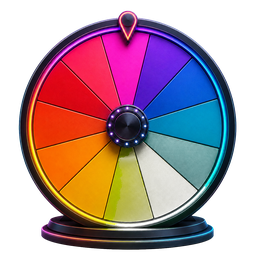 Spin the Wheel
Color, Hair & Style Wheels
Spin natural and fantasy hair shades to inspire a character, illustration, avatar, makeover concept, or style challenge.
Quick utility
Enter or edit hair colors, then make one random selection for a character design or style concept.
Add the hair colors you want to compare, then pick one.
The Hair Color Wheel provides a balanced mix of realistic and imaginative shades. Use all twelve choices for surprise, or narrow the list to a natural palette or fantasy palette before spinning.
Keep both natural and fantasy entries, or remove a group to match the intended design.
Let the wheel choose one visible hair-color segment at random.
Pair the selected shade with highlights, roots, texture, and a hairstyle that supports the concept.
Assign a distinguishing hair color to a new story, game, comic, or role-playing character.
Use the selected shade as the focus of a portrait, coloring study, or limited-palette exercise.
Explore color combinations and mock-up ideas before making any real-world style decision.
Hair Color Wheel opens with its complete default selection, so you can spin immediately or edit the list first.
Add, rename, remove, shuffle, and recolor entries, then save a named version in your browser.
Your entries and saved wheels stay on this device; no account is needed to use the picker.
The default list includes eight natural or neutral shades and four vivid fantasy colors.
Yes. Add any named shade, color combination, highlight style, or gradient you want to consider.
Yes. Every listed shade appears once by default and receives an equal chance on each independent spin.
Yes. You can keep the mixed palette or delete entries to focus on only one group.