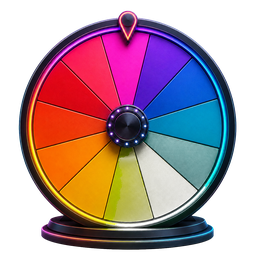
Spin the Wheel Free Random Name Picker
ລາຍການ0
Spin ລໍ້ແມ່ນຫຍັງ?
A Spin the Wheel ແມ່ນເຄື່ອງມືການຄັດເລືອກແບບສຸ່ມແບບດິຈິຕອລທີ່ໄດ້ຮັບແຮງບັນດານໃຈຈາກແນວຄວາມຄິດລໍ້ຮາງວັນຄລາສສິກທີ່ໄດ້ຮັບຄວາມນິຍົມຈາກການສະແດງເກມເຊັ່ນ Wheel of Fortune. ທ່ານໃສ່ບັນຊີລາຍການຂອງຊື່, ທາງເລືອກ, ຫຼືທາງເລືອກ — ແຕ່ລະຄົນກາຍເປັນພາກສ່ວນສີກ່ຽວກັບການຂັບລົດໄດ້. ເມື່ອທ່ານໝຸນ, ເຄື່ອງມືຈະໃຊ້ເຄື່ອງກຳເນີດຕົວເລກແບບສຸ່ມທີ່ມີການແຜ່ກະຈາຍເປັນເອກະພາບເພື່ອກຳນົດບ່ອນທີ່ລໍ້ຈະລົງຈອດ, ຮັບປະກັນວ່າທຸກໆລາຍການມີຄວາມເປັນໄປໄດ້ທີ່ສະເໝີກັນທີ່ຈະຖືກເລືອກ. ບໍ່ຄືກັບການປີ້ນຫຼຽນ ຫຼືການແຕ້ມຊື່ຈາກໝວກ, ລໍ້ໝຸນຈະໃຫ້ວິທີການທີ່ໜ້າສົນໃຈ, ໂປ່ງໃສ ແລະຍຸຕິທຳທາງຄະນິດສາດເພື່ອເຮັດການເລືອກແບບສຸ່ມ. ປະສົບການທັງໝົດແລ່ນເປັນແອັບພລິເຄຊັນເວັບໂດຍກົງໃນບຣາວເຊີຂອງທ່ານ — ບໍ່ຈຳເປັນຕ້ອງຕິດຕັ້ງຊອບແວ.
ສະຖານະການທົ່ວໄປ
- ການເລືອກຜູ້ທີ່ໄປທໍາອິດໃນກິດຈະກໍາໃນຫ້ອງຮຽນຫຼືກອງປະຊຸມທີມງານ
- ການເລືອກນັກຮຽນແບບສຸ່ມເພື່ອຕອບຄໍາຖາມໃນລະຫວ່າງບົດຮຽນ
- ເລືອກຜູ້ຊະນະສໍາລັບການໃຫ້ລາງວັນສື່ມວນຊົນສັງຄົມ, ການຈັບສະຫລາກ, ຫຼືການແຂ່ງຂັນ
- ການຕັດສິນໃຈປະຈໍາວັນເຊັ່ນການວາງແຜນອາຫານ, ການເລືອກຮ້ານອາຫານ, ຫຼືການເລືອກຮູບເງົາໃນຕອນກາງຄືນ
- ການແຈກຢາຍວຽກ, ວຽກງານ, ຫຼືການມອບຫມາຍໂຄງການຢ່າງຍຸດຕິທໍາລະຫວ່າງກຸ່ມ
- ທໍາລາຍສາຍພົວພັນ ຫຼືການແກ້ໄຂການໂຕ້ວາທີດ້ວຍຜົນໄດ້ຮັບແບບສຸ່ມທີ່ບໍ່ເປັນກາງ, ໂປ່ງໃສ
ວິທີການ spin ລໍ້ເຮັດວຽກ
ເພີ່ມລາຍການ
ພິມຊື່, ທາງເລືອກ, ຫຼືທາງເລືອກໃສ່ໃນກະດານປ້ອນຂໍ້ຄວາມ. ກົດ Enter ຫຼືຄລິກປຸ່ມເພີ່ມເພື່ອສ້າງແຕ່ລະລາຍການ. ທຸກໆລາຍການກາຍເປັນສ່ວນສີ, ແລະລໍ້ຈະປັບຮູບແບບສໍາລັບລາຍການຂະຫນາດຕ່າງໆ.
ປັບແຕ່ງລໍ້
ປັບແຕ່ງລໍ້ຂອງເຈົ້າເປັນແບບສ່ວນຕົວກ່ອນທີ່ຈະໝຸນ. ແກ້ໄຂລາຍການໃດນຶ່ງໂດຍການຄລິກສອງເທື່ອ, ລຶບລາຍການທີ່ທ່ານບໍ່ຕ້ອງການ, ສະຫຼັບການສັ່ງໃຫ້ຫຼາກຫຼາຍຊະນິດ, ຫຼືເລືອກຈາກຫົວຂໍ້ສີເຊັ່ນ: Neon Nights, Pastel Dream, ແລະ Cool Ocean. ການປ່ຽນແປງການສະແດງຜົນໃນເວລາຈິງໃນ HTML5 Canvas.
ໝຸນລໍ້
ຄລິກທີ່ປຸ່ມ SPIN ເພື່ອເລີ່ມການເຄື່ອນໄຫວ. ລໍ້ເລັ່ງ, ໝຸນດ້ວຍການຜ່ອນຄາຍທາງຟີຊິກ, ແລະຄ່ອຍໆຊ້າລົງ. ເມື່ອມັນຢຸດ, ຕົວຊີ້ຊີ້ບອກຜູ້ຊະນະທີ່ເລືອກແບບສຸ່ມຂອງທ່ານ — ກຳນົດໂດຍເຄື່ອງສ້າງຕົວເລກແບບສຸ່ມກ່ອນທີ່ອະນິເມຊັນເລີ່ມຕົ້ນ.
ວິທີທີ່ນິຍົມໃຊ້ລໍ້ຫມຸນ
ຕົວເລືອກຊື່ຫ້ອງຮຽນ
ຄູ ແລະ ຄູສອນໃຊ້ລໍ້ເປັນເຄື່ອງມືການຈັດການຫ້ອງຮຽນເພື່ອສຸ່ມໂທຫານັກຮຽນ, ປະກອບກຸ່ມສຶກສາ, ມອບໝາຍການນຳສະເໜີ, ຫຼືເລືອກອາສາສະໝັກ. ມັນສົ່ງເສີມການມີສ່ວນຮ່ວມຢ່າງສະເໝີພາບ, ຫຼຸດຜ່ອນຄວາມມັກນິຍົມ, ແລະເພີ່ມທະວີການມີສ່ວນຮ່ວມຂອງນັກຮຽນໃນທົ່ວການສຶກສາຊັ້ນປໍ 12 ແລະ ສະພາບແວດລ້ອມການຮຽນຮູ້ທີ່ສູງຂຶ້ນ.
ຜູ້ເລືອກເອົາຜູ້ຊະນະການໃຫ້ລາງວັນ
ດໍາເນີນການໃຫ້ລາງວັນທີ່ໂປ່ງໃສໂດຍການໃສ່ຊື່ຜູ້ເຂົ້າຮ່ວມຈາກ Instagram, YouTube, TikTok ຫຼືການແຂ່ງຂັນການຖ່າຍທອດສົດຂອງທ່ານ. ໝຸນລໍ້ໃສ່ກ້ອງເພື່ອໃຫ້ຜູ້ຊົມຂອງທ່ານສາມາດເບິ່ງການຄັດເລືອກຜູ້ຊະນະໄດ້ແບບສົດໆ — ສ້າງຄວາມໄວ້ໃຈ ແລະ ຊຸກຍູ້ການມີສ່ວນພົວພັນໃຫ້ກັບກິດຈະກຳສົ່ງເສີມການຂາຍ ແລະ ແຄມເປນຍີ່ຫໍ້.
ຜູ້ຕັດສິນໃຈ
ເອົາຊະນະທາງເລືອກ overload ແລະອະຄະຕິມັນສະຫມອງໂດຍການໃຫ້ລໍ້ຕັດສິນໃຈ. ເພີ່ມຕົວເລືອກຕ່າງໆ ເຊັ່ນ: ຮ້ານອາຫານ, ຫົວຂໍ້ຮູບເງົາ, ແນວຄວາມຄິດທີ່ລະດົມຄວາມຄິດ ຫຼື ຫົວຂໍ້ການປະຊຸມຂອງທີມ - ຈາກນັ້ນ ໝູນໃຊ້ເພື່ອໃຫ້ໄດ້ຜົນທັນທີ, ບໍ່ລຳອຽງ. ມັນປ່ຽນການຕັດສິນໃຈຂອງກຸ່ມທີ່ເຄັ່ງຄຽດໃຫ້ເປັນປະສົບການທີ່ມ່ວນຊື່ນ ແລະຮ່ວມມືກັນ.
ເກມພັກ
ເພີ່ມຄວາມຕື່ນເຕັ້ນໃຫ້ກັບເກມຄືນ, ງານວັນເກີດ, ແລະກິດຈະກຳສ້າງທີມ. ໃຊ້ລໍ້ເພື່ອຄວາມຈິງ ຫຼືຄວາມທ້າທາຍທີ່ກ້າ, ການມອບໝາຍຂອງທີມແບບເລັກໆນ້ອຍໆ, ການເຕືອນກ່ຽວກັບເຄື່ອງຕັດນ້ຳກ້ອນ ຫຼື ກິດຈະກຳຕ່າງໆທີ່ຕ້ອງການຕົວເລືອກແບບສຸ່ມ. ອະນິເມຊັນທີ່ປັ່ນປ່ວນສ້າງຄວາມງຶດງໍ້ ແລະ ເຮັດໃຫ້ທຸກຄົນມີຄວາມບັນເທີງ.
ຄຸນນະສົມບັດທີ່ສໍາຄັນ
ບັນຊີລາຍຊື່ເຂົ້າແບບຍືດຫຍຸ່ນ
ເພີ່ມ, ແກ້ໄຂ, ເອົາອອກ, ແລະສະຫຼັບຊື່ ຫຼືຕົວເລືອກຕ່າງໆ. ຂະຫນາດສ່ວນປັບອັດຕະໂນມັດເປັນການປ່ຽນແປງລາຍການຂອງທ່ານ.
ສີທີ່ກຳນົດເອງ
ເລືອກຈາກ palettes ສີ curated — Default, Neon Nights, Pastel Dream, Sunset ອົບອຸ່ນ, ແລະມະຫາສະຫມຸດເຢັນ. ແຕ່ລະຫົວຂໍ້ຖືກອອກແບບດ້ວຍຄວາມສາມາດເຂົ້າເຖິງພາບແລະຄວາມຄົມຊັດຢູ່ໃນໃຈ.
ລໍ້ທີ່ບັນທຶກໄວ້
ບັນທຶກລາຍຊື່ລໍ້ທີ່ມີຊື່ຢູ່ໃນຕົວທ່ອງເວັບນີ້ແລະເປີດພວກມັນຄືນໃຫມ່ຈາກເມນູທີ່ກໍານົດໄວ້ກ່ອນທຸກຄັ້ງທີ່ທ່ານຕ້ອງການ.
ເອົາຜູ້ຊະນະອອກ
ຫຼັງຈາກການຫມຸນແຕ່ລະຄັ້ງ, ເອົາຜູ້ຊະນະທີ່ເລືອກອອກດ້ວຍການຄລິກດຽວ — ເຫມາະສໍາລັບການແຂ່ງຂັນແບບການລົບລ້າງ, ການຈັບສະຫລາກຫຼາຍຮອບ, ແລະຂະບວນການຄັດເລືອກຕາມລໍາດັບທີ່ບໍ່ອະນຸຍາດໃຫ້ເລືອກເອົາຊໍ້າຄືນ.
ຂ້າມເວທີ
ສ້າງຂຶ້ນດ້ວຍການອອກແບບທີ່ຕອບສະໜອງທີ່ປັບຕົວເຂົ້າກັບຄອມພິວເຕີຕັ້ງໂຕະ, ແທັບເລັດ ແລະອຸປະກອນມືຖື. ໜ້າຈໍສຳຜັດທີ່ເປັນມິດກັບການຄວບຄຸມທີ່ເໝາະສົມສຳລັບທຸກໂປຣແກຣມທ່ອງເວັບທີ່ທັນສະໄໝ — Chrome, Safari, Firefox ແລະ Edge.
83 free tools
Explore All Spin Wheel Tools
Choose a purpose-built wheel for decisions, numbers, colors, games, and more.
Core Spin Wheel Tools
5 tools- Custom Spin WheelAdd any names or choices, personalize the colors, and spin a wheel made for your exact decision, game, classroom, or giveaway.
- Decision Maker WheelWhen every option feels possible, put the choices on the wheel and turn a difficult decision into one clear random result.
- Yes or No WheelAsk a question with two acceptable outcomes, spin the equal Yes and No segments, and get a quick random answer.
- Random Picker WheelTurn any list into a visual random picker for names, options, prizes, activities, and everyday choices.
- Weighted Spin WheelCreate transparent weighting by repeating a choice: more visible segments give that choice a proportionally higher chance without hiding the setup.
Number Wheels
6 tools- Number Wheel 1–100Spin every whole number from 1 through 100 for classroom activities, games, percentage challenges, and random draws.
- Number Wheel 0–10Pick an integer from zero through ten for simple games, early-number lessons, ratings, and quick random prompts.
- Number Wheel 0–20Spin a complete 0-to-20 number line for student activities, small games, counting practice, and no-repeat selections.
- Number Wheel 1–500Choose one value from 500 equally eligible numbers for giveaways, large drawings, numbered lists, and random-number games.
- Number Wheel 1–1000Draw one number from a full 1-to-1,000 range for large participant lists, numbered giveaways, simulations, and games.
- Number Wheel 1–67Spin the exact range from 1 through 67 for numbered rosters, custom games, classroom lists, and equal-chance drawings.
Color, Hair & Style Wheels
10 tools- Color Picker WheelSpin a vivid palette to choose a random color for artwork, outfits, games, room ideas, and creative challenges.
- Eye Color WheelChoose an eye color for a new character, portrait, original character design, or drawing prompt with one spin.
- Hair Color WheelSpin natural and fantasy hair shades to inspire a character, illustration, avatar, makeover concept, or style challenge.
- Hairstyle WheelChoose from everyday cuts, protective styles, statement looks, and creative silhouettes for art prompts and character concepts.
- Haircut WheelAdd or edit haircut entries, spin the wheel, and use the page's dedicated calculator for short haircuts.
- Hair Length WheelAdd or edit hair length entries, spin the wheel, and use the page's dedicated calculator for character creation.
- Hair Type WheelAdd or edit hair type entries, spin the wheel, and use the page's dedicated calculator for character design.
- Skin Color WheelAdd or edit skin color entries, spin the wheel, and use the page's dedicated calculator for character design.
- Aesthetic WheelAdd or edit aesthetic entries, spin the wheel, and use the page's dedicated calculator for fashion aesthetics.
- Outfit Style WheelAdd or edit outfit style entries, spin the wheel, and use the page's dedicated calculator for casual styles.
Food & Restaurant Wheels
2 toolsOther Spin Wheels
2 toolsCountry & Place Wheels
4 tools- Country WheelAdd or edit country entries, spin the wheel, and use the page's dedicated calculator for travel ideas.
- European Countries WheelAdd or edit european countries entries, spin the wheel, and use the page's dedicated calculator for travel inspiration.
- US States WheelAdd or edit us states entries, spin the wheel, and use the page's dedicated calculator for geography games.
- Zambia WheelAdd or edit zambia entries, spin the wheel, and use the page's dedicated calculator for places.
Sports Wheels
8 tools- Basketball Teams WheelAdd or edit basketball teams entries, spin the wheel, and use the page's dedicated calculator for team challenges.
- NBA Teams WheelAdd or edit nba teams entries, spin the wheel, and use the page's dedicated calculator for team challenges.
- NFL Teams WheelAdd or edit nfl teams entries, spin the wheel, and use the page's dedicated calculator for football challenges.
- MLB Teams WheelAdd or edit mlb teams entries, spin the wheel, and use the page's dedicated calculator for baseball challenges.
- Premier League WheelAdd or edit premier league entries, spin the wheel, and use the page's dedicated calculator for team challenges.
- Soccer Players WheelAdd or edit soccer players entries, spin the wheel, and use the page's dedicated calculator for player challenges.
- UFC Fighters WheelAdd or edit ufc fighters entries, spin the wheel, and use the page's dedicated calculator for fantasy matchups.
- World Cup WheelAdd or edit world cup entries, spin the wheel, and use the page's dedicated calculator for team challenges.
Gaming Wheels
9 tools- Roblox WheelAdd or edit roblox entries, spin the wheel, and use the page's dedicated calculator for roblox games.
- Pokemon WheelAdd or edit pokemon entries, spin the wheel, and use the page's dedicated calculator for pokemon challenges.
- League of Legends WheelAdd or edit league of legends entries, spin the wheel, and use the page's dedicated calculator for champion picks.
- Apex Legends WheelAdd or edit apex legends entries, spin the wheel, and use the page's dedicated calculator for legend picks.
- Valorant Agents WheelAdd or edit valorant agents entries, spin the wheel, and use the page's dedicated calculator for agent challenges.
- Marvel Rivals WheelAdd or edit marvel rivals entries, spin the wheel, and use the page's dedicated calculator for hero challenges.
- Dandy's World WheelAdd or edit dandy's world entries, spin the wheel, and use the page's dedicated calculator for character picks.
- DTI Themes WheelAdd or edit dti themes entries, spin the wheel, and use the page's dedicated calculator for outfit challenges.
- ZZZ Characters WheelAdd or edit zzz characters entries, spin the wheel, and use the page's dedicated calculator for character challenges.
Anime & Character Wheels
6 tools- Anime Characters WheelAdd or edit anime characters entries, spin the wheel, and use the page's dedicated calculator for drawing challenges.
- JJK Characters WheelAdd or edit jjk characters entries, spin the wheel, and use the page's dedicated calculator for character picks.
- BFDI WheelAdd or edit bfdi entries, spin the wheel, and use the page's dedicated calculator for character picks.
- Disney Movies WheelAdd or edit disney movies entries, spin the wheel, and use the page's dedicated calculator for movie night.
- Quirk WheelAdd or edit quirk entries, spin the wheel, and use the page's dedicated calculator for character creation.
- OC WheelAdd or edit oc entries, spin the wheel, and use the page's dedicated calculator for appearance ideas.
Entertainment Wheels
8 tools- Movie WheelAdd or edit movie entries, spin the wheel, and use the page's dedicated calculator for movie night ideas.
- TV Show WheelAdd or edit tv show entries, spin the wheel, and use the page's dedicated calculator for binge-watch ideas.
- KPOP WheelAdd or edit kpop entries, spin the wheel, and use the page's dedicated calculator for group picks.
- KATSEYE WheelAdd or edit katseye entries, spin the wheel, and use the page's dedicated calculator for member picks.
- KATSEYE Songs WheelAdd or edit katseye songs entries, spin the wheel, and use the page's dedicated calculator for listening challenges.
- YouTuber WheelAdd or edit youtuber entries, spin the wheel, and use the page's dedicated calculator for creator challenges.
- Underground Rappers WheelAdd or edit underground rappers entries, spin the wheel, and use the page's dedicated calculator for music challenges.
- Meme WheelAdd or edit meme entries, spin the wheel, and use the page's dedicated calculator for meme challenges.
Kids & Student Wheels
4 tools- Kids WheelAdd or edit kids entries, spin the wheel, and use the page's dedicated calculator for games.
- Questions for Kids WheelAdd or edit questions for kids entries, spin the wheel, and use the page's dedicated calculator for funny questions.
- Student Questions WheelAdd or edit student questions entries, spin the wheel, and use the page's dedicated calculator for icebreakers.
- Ice Breaker Questions WheelAdd or edit ice breaker questions entries, spin the wheel, and use the page's dedicated calculator for work icebreakers.
Party & Question Wheels
5 tools- Funny Questions WheelAdd or edit funny questions entries, spin the wheel, and use the page's dedicated calculator for friends.
- Couples Questions WheelAdd or edit couples questions entries, spin the wheel, and use the page's dedicated calculator for flirty questions.
- Adult Ideas WheelAdd or edit adult ideas entries, spin the wheel, and use the page's dedicated calculator for party activities.
- Truth or Dare WheelAdd or edit truth or dare entries, spin the wheel, and use the page's dedicated calculator for truth questions.
- Drinking Game WheelAdd or edit drinking game entries, spin the wheel, and use the page's dedicated calculator for party challenges.
Giveaway & Prize Wheels
4 tools- Giveaway WheelAdd or edit giveaway entries, spin the wheel, and use the page's dedicated calculator for name picker.
- Raffle WheelAdd or edit raffle entries, spin the wheel, and use the page's dedicated calculator for ticket draws.
- Prize WheelAdd or edit prize entries, spin the wheel, and use the page's dedicated calculator for giveaway prizes.
- Elimination WheelAdd or edit elimination entries, spin the wheel, and use the page's dedicated calculator for remove selected entries.
Drawing & Creative Wheels
3 tools- Drawing WheelAdd or edit drawing entries, spin the wheel, and use the page's dedicated calculator for things to draw.
- Emoji WheelAdd or edit emoji entries, spin the wheel, and use the page's dedicated calculator for drawing games.
- Logo WheelAdd or edit logo entries, spin the wheel, and use the page's dedicated calculator for drawing challenges.
Animal Wheels
2 toolsNames, Personality & Traits
5 tools- Japanese Girl Names WheelAdd or edit japanese girl names entries, spin the wheel, and use the page's dedicated calculator for character names.
- Personality WheelAdd or edit personality entries, spin the wheel, and use the page's dedicated calculator for oc creation.
- Zodiac Signs WheelAdd or edit zodiac signs entries, spin the wheel, and use the page's dedicated calculator for games.
- Gender WheelAdd or edit gender entries, spin the wheel, and use the page's dedicated calculator for character creation.
- Elements WheelAdd or edit elements entries, spin the wheel, and use the page's dedicated calculator for fantasy elements.
ຄໍາຖາມທີ່ຖາມເລື້ອຍໆ
Spin the Wheel ເຮັດວຽກແນວໃດ?
Spin the Wheel ໃຊ້ເຄື່ອງກໍາເນີດຕົວເລກແບບສຸ່ມເພື່ອກໍານົດບ່ອນທີ່ລໍ້ຢຸດ. ເຈົ້າເພີ່ມຊື່ ຫຼືຕົວເລືອກໃສ່ໃນລາຍການເຂົ້າ — ແຕ່ລະສ່ວນກາຍເປັນສີເທິງລໍ້. ເມື່ອທ່ານຄລິກ SPIN, ພາບເຄື່ອນໄຫວ HTML5 Canvas ຈະເລັ່ງ ແລະຄ່ອຍໆຊ້າລົງໂດຍໃຊ້ການຜ່ອນຄາຍທາງຟີຊິກ. ຕຳແໜ່ງການລົງຈອດສຸດທ້າຍແມ່ນຄຳນວນໂດຍໃຊ້ຄວາມເປັນໄປໄດ້ຂອງການແຈກຢາຍແບບສະໝ່ຳສະເໝີກ່ອນທີ່ອະນິເມຊັນຈະເລີ່ມຕົ້ນ, ຮັບປະກັນວ່າທຸກໆລາຍການມີໂອກາດຖືກເລືອກສະເໝີກັນ. ແຕ່ລະ spin ແມ່ນເອກະລາດທາງສະຖິຕິ.
ຕົວເລືອກແບບສຸ່ມ Spin the Wheel ແມ່ນຫຍັງ?
A Spin the Wheel picker ເປັນເຄື່ອງມືອອນໄລນ໌ຟຣີທີ່ສ້າງແບບຈໍາລອງຈາກລໍ້ລາງວັນຄລາສສິກ — ຄ້າຍກັບແນວຄວາມຄິດຂອງ Wheel of Fortune. ທ່ານໃສ່ຊື່, ທາງເລືອກ, ຫຼືລາຍການເຂົ້າໄປໃນລໍ້ດິຈິຕອນ, ໝຸນມັນ, ແລະເຄື່ອງສ້າງຕົວເລກແບບສຸ່ມເລືອກຜູ້ຊະນະ. ມັນຖືກນໍາໃຊ້ໂດຍທົ່ວໄປເປັນຕົວເລືອກຊື່ແບບສຸ່ມສໍາລັບຫ້ອງຮຽນ, ທາງເລືອກຜູ້ຊະນະລາງວັນສໍາລັບການແຂ່ງຂັນສື່ມວນຊົນສັງຄົມ, ຜູ້ຕັດສິນໃຈສໍາລັບການເລືອກກຸ່ມ, ແລະຕົວເລືອກແບບສຸ່ມສໍາລັບເກມພັກແລະກິດຈະກໍາສ້າງທີມງານ.
ຂ້ອຍສາມາດສ້າງ Spin the Wheel ແບບກຳນົດເອງໄດ້ບໍ?
ແມ່ນແລ້ວ. ທ່ານສາມາດປັບລໍ້ຂອງທ່ານທີ່ມີບັນຊີລາຍຊື່ທີ່ປ່ຽນແປງໄດ້, ແກ້ໄຂຫຼືຈັດລໍາດັບໃຫມ່, ເລືອກຮູບແບບສີ, ແລະບັນທຶກລາຍການທີ່ມີຊື່ໃນຕົວທ່ອງເວັບນີ້. ການປ່ຽນແປງຈະປາກົດໃນທັນທີ, ແລະບໍ່ມີບັນຊີທີ່ຕ້ອງການ.
ຂ້ອຍສາມາດສ້າງລໍ້ຫມຸນຂອງຂ້ອຍເອງໄດ້ບໍ?
ຢ່າງແທ້ຈິງ. ເຂົ້າໄປທີ່ spinthewheel.com, ພິມລາຍການຂອງເຈົ້າໃສ່ໃນກະດານ, ແລະລໍ້ເລື່ອນແບບກຳນົດເອງຂອງເຈົ້າພ້ອມແລ້ວໃນບໍ່ເທົ່າໃດວິນາທີ. ທ່ານສາມາດບັນທຶກການຕັ້ງຄ່າລໍ້ໃສ່ການເກັບຮັກສາທ້ອງຖິ່ນຂອງຕົວທ່ອງເວັບຂອງທ່ານສໍາລັບການເຂົ້າເຖິງໄວໃນພາຍຫຼັງ. ແອັບພລິເຄຊັນເວັບແມ່ນເຂົ້າກັນໄດ້ຂ້າມເວທີ ແລະເຮັດວຽກຢູ່ໃນຄອມພິວເຕີຕັ້ງໂຕະ, ແທັບເລັດ ແລະສະມາດໂຟນທີ່ໃຊ້ Chrome, Safari, Firefox ຫຼື Edge.
ຂ້ອຍສາມາດໃຊ້ Spin the Wheel ເປັນຜູ້ຕັດສິນໃຈໄດ້ບໍ?
ແມ່ນແລ້ວ, Spin the Wheel ຖືກນໍາໃຊ້ຢ່າງກວ້າງຂວາງເປັນເຄື່ອງມືໃນການຕັດສິນໃຈ. ມັນຊ່ວຍເອົາຊະນະການເລືອກເກີນ ແລະອະຄະຕິທາງປັນຍາໂດຍການໃຫ້ຜົນໄດ້ຮັບແບບສຸ່ມ, ບໍ່ເປັນກາງ. ເພີ່ມຕົວເລືອກຕ່າງໆ ເຊັ່ນ: ຮ້ານອາຫານ, ຊື່ຮູບເງົາ, ແນວຄວາມຄິດທີ່ລະດົມຄວາມຄິດ, ຈຸດຫມາຍປາຍທາງການເດີນທາງ, ຫຼືຫົວຂໍ້ການປະຊຸມຂອງທີມງານ - ຈາກນັ້ນໝຸນເພື່ອໃຫ້ລໍ້ເລືອກ. ມັນມີປະສິດທິພາບສໍາລັບທັງການຕັດສິນໃຈສ່ວນບຸກຄົນແລະສະຖານະການເປັນເອກະສັນຂອງກຸ່ມ.
ແມ່ນ Spin the Wheel rigged?
No. Spin the Wheel ໃຊ້ສູດການຄິດໄລ່ແບບສຸ່ມຢ່າງແທ້ຈິງໂດຍອີງໃສ່ການແຈກຢາຍແບບດຽວກັນ — ຫຼັກການທາງຄະນິດສາດດຽວກັນທີ່ໃຊ້ໃນທິດສະດີຄວາມເປັນໄປໄດ້ ແລະ ການເກັບຕົວຢ່າງສະຖິຕິ. ແຕ່ລະ spin ແມ່ນເອກະລາດຢ່າງສົມບູນ; ຜົນໄດ້ຮັບທີ່ຜ່ານມາບໍ່ມີອິດທິພົນຕໍ່ຜົນໄດ້ຮັບໃນອະນາຄົດ. ຄວາມສຸ່ມແມ່ນທຽບເທົ່າກັບການແຕ້ມຮູບຈາກບັດທີ່ສະຫຼັບກັນຢ່າງສົມບູນ. ເຄື່ອງມືໄດ້ຖືກອອກແບບເພື່ອຄວາມຍຸຕິທໍາແລະຄວາມໂປ່ງໃສໃນທຸກການຄັດເລືອກ.
ຂ້ອຍສາມາດໃຊ້ລໍ້ເພື່ອການຕັດສິນໃຈແມ່ນ ຫຼື ບໍ່ແມ່ນບໍ?
ແມ່ນແລ້ວ. ເພີ່ມ 'ແມ່ນ' ແລະ 'ບໍ່' ເປັນສອງລາຍການຂອງທ່ານເພື່ອສ້າງລໍ້ທາງເລືອກຖານສອງ — ເປັນທາງເລືອກທີ່ເປັນພາບຕໍ່ກັບການພິກຫຼຽນ. ທ່ານຍັງສາມາດໂຫຼດແມ່ແບບທີ່ຕັ້ງໄວ້ລ່ວງໜ້າເຊິ່ງລວມມີການຕັ້ງຄ່າທົ່ວໄປເຊັ່ນ: ແມ່ນ/ບໍ່, ຕົວເລກ 1-10, ລູກເຫຼັ້ມ 1-6, ແລະຕົວອັກສອນ A-Z ສໍາລັບການຕັ້ງຄ່າທັນທີໂດຍບໍ່ມີການປ້ອນຂໍ້ມູນຄູ່ມື.
ຂ້ອຍສາມາດເພີ່ມລາງວັນໃສ່ລໍ້ໄດ້ບໍ?
ແມ່ນແລ້ວ. ຂໍ້ຄວາມໃດນຶ່ງສາມາດຖືກໃສ່ເປັນສ່ວນລໍ້ — ລວມທັງຊື່ລາງວັນ, ລະດັບລາງວັນ, ມູນຄ່າບັດຂອງຂວັນ, ຫຼືລາຍລະອຽດຂອງຜະລິດຕະພັນ. ນີ້ເຮັດໃຫ້ເຄື່ອງມືທີ່ເຫມາະສົມສໍາລັບການລໍ້ຮາງວັນຍີ່ຫໍ້ໃນກິດຈະກໍາສົ່ງເສີມການຂາຍ, ບູດງານວາງສະແດງການຄ້າ, ການໃຫ້ລາງວັນສື່ມວນຊົນສັງຄົມ, ແລະເກມ spinner ລາງວັນທີ່ແຕ່ລະພາກສ່ວນເປັນຕົວແທນຂອງລາງວັນຫຼືຜົນໄດ້ຮັບທີ່ແຕກຕ່າງກັນ.