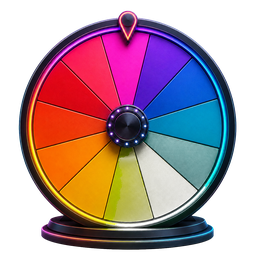
Spin the Wheel Free Random Name Picker
Entries0
What Is a Spin the Wheel?
A Spin the Wheel is a digital random selection tool inspired by the classic prize wheel concept popularized by game shows like Wheel of Fortune. You enter a list of names, options, or choices — each one becomes a colored segment on the wheel. When you spin, the tool uses a random number generator with uniform distribution to determine where the wheel lands, ensuring every entry has an equal probability of being selected. Unlike a coin flip or drawing names from a hat, a spinning wheel provides a visually engaging, transparent, and mathematically fair way to make random selections. The entire experience runs as a web application directly in your browser — no software installation required.
Common Situations
- Choosing who goes first in a classroom activity or team meeting
- Randomly selecting a student to answer a question during a lesson
- Picking a winner for a social media giveaway, raffle, or contest
- Making everyday decisions like meal planning, restaurant picks, or movie night choices
- Distributing chores, tasks, or project assignments fairly among a group
- Breaking ties or resolving debates with an unbiased, transparent random result
How Spin The Wheel Works
Add Entries
Type names, options, or choices into the text input panel. Press Enter or click the add button to create each entry. Every item becomes a colored segment, and the wheel adjusts the layout for lists of different sizes.
Customize the Wheel
Personalize your wheel before spinning. Edit any entry by double-clicking it, delete items you no longer need, shuffle the order for variety, or choose from color themes like Neon Nights, Pastel Dream, and Cool Ocean. Changes render in real time on the HTML5 Canvas.
Spin the Wheel
Click the SPIN button to start the animation. The wheel accelerates, spins with physics-based easing, and gradually decelerates. When it stops, the pointer indicates your randomly selected winner — determined by a random number generator before the animation begins.
Popular Ways to Use a Spin Wheel
Classroom Name Picker
Teachers and educators use the wheel as a classroom management tool to randomly call on students, form study groups, assign presentation order, or select volunteers. It promotes equal participation, reduces favoritism, and increases student engagement across K-12 education and higher learning environments.
Giveaway Winner Picker
Run transparent giveaways and raffles by entering participant names from your Instagram, YouTube, TikTok, or live stream contest. Spin the wheel on camera so your audience can watch the winner selection in real time — building trust and boosting engagement for promotional events and brand campaigns.
Decision Maker
Overcome choice overload and cognitive bias by letting the wheel decide. Add options like restaurants, movie titles, brainstorming ideas, or team meeting topics — then spin for an instant, impartial result. It turns stressful group decisions into a fun, collaborative experience.
Party Games
Add excitement to game nights, birthday parties, and team building events. Use the wheel for truth or dare challenges, trivia team assignments, ice breaker prompts, or any activity that needs a random selector. The spinning animation builds suspense and keeps everyone entertained.
Key Features
Flexible Entry Lists
Add, edit, remove, and shuffle names or options. Segment sizes adjust automatically as your list changes.
Custom Colors
Choose from curated color palettes — Default, Neon Nights, Pastel Dream, Warm Sunset, and Cool Ocean. Each theme is designed with visual accessibility and contrast in mind.
Saved Wheels
Save named wheel lists in this browser and reopen them from the presets menu whenever you need them.
Remove Winners
After each spin, remove the selected winner with one click — ideal for elimination-style tournaments, multi-round raffles, and sequential selection processes where no repeat picks are allowed.
Cross-Platform
Built with responsive design that adapts to desktop computers, tablets, and mobile devices. Touch screen friendly with optimized controls for every modern web browser — Chrome, Safari, Firefox, and Edge.
83 free tools
Explore All Spin Wheel Tools
Choose a purpose-built wheel for decisions, numbers, colors, games, and more.
Core Spin Wheel Tools
5 tools- Custom Spin WheelAdd any names or choices, personalize the colors, and spin a wheel made for your exact decision, game, classroom, or giveaway.
- Decision Maker WheelWhen every option feels possible, put the choices on the wheel and turn a difficult decision into one clear random result.
- Yes or No WheelAsk a question with two acceptable outcomes, spin the equal Yes and No segments, and get a quick random answer.
- Random Picker WheelTurn any list into a visual random picker for names, options, prizes, activities, and everyday choices.
- Weighted Spin WheelCreate transparent weighting by repeating a choice: more visible segments give that choice a proportionally higher chance without hiding the setup.
Number Wheels
6 tools- Number Wheel 1–100Spin every whole number from 1 through 100 for classroom activities, games, percentage challenges, and random draws.
- Number Wheel 0–10Pick an integer from zero through ten for simple games, early-number lessons, ratings, and quick random prompts.
- Number Wheel 0–20Spin a complete 0-to-20 number line for student activities, small games, counting practice, and no-repeat selections.
- Number Wheel 1–500Choose one value from 500 equally eligible numbers for giveaways, large drawings, numbered lists, and random-number games.
- Number Wheel 1–1000Draw one number from a full 1-to-1,000 range for large participant lists, numbered giveaways, simulations, and games.
- Number Wheel 1–67Spin the exact range from 1 through 67 for numbered rosters, custom games, classroom lists, and equal-chance drawings.
Color, Hair & Style Wheels
10 tools- Color Picker WheelSpin a vivid palette to choose a random color for artwork, outfits, games, room ideas, and creative challenges.
- Eye Color WheelChoose an eye color for a new character, portrait, original character design, or drawing prompt with one spin.
- Hair Color WheelSpin natural and fantasy hair shades to inspire a character, illustration, avatar, makeover concept, or style challenge.
- Hairstyle WheelChoose from everyday cuts, protective styles, statement looks, and creative silhouettes for art prompts and character concepts.
- Haircut WheelAdd or edit haircut entries, spin the wheel, and use the page's dedicated calculator for short haircuts.
- Hair Length WheelAdd or edit hair length entries, spin the wheel, and use the page's dedicated calculator for character creation.
- Hair Type WheelAdd or edit hair type entries, spin the wheel, and use the page's dedicated calculator for character design.
- Skin Color WheelAdd or edit skin color entries, spin the wheel, and use the page's dedicated calculator for character design.
- Aesthetic WheelAdd or edit aesthetic entries, spin the wheel, and use the page's dedicated calculator for fashion aesthetics.
- Outfit Style WheelAdd or edit outfit style entries, spin the wheel, and use the page's dedicated calculator for casual styles.
Food & Restaurant Wheels
2 toolsOther Spin Wheels
2 toolsCountry & Place Wheels
4 tools- Country WheelAdd or edit country entries, spin the wheel, and use the page's dedicated calculator for travel ideas.
- European Countries WheelAdd or edit european countries entries, spin the wheel, and use the page's dedicated calculator for travel inspiration.
- US States WheelAdd or edit us states entries, spin the wheel, and use the page's dedicated calculator for geography games.
- Zambia WheelAdd or edit zambia entries, spin the wheel, and use the page's dedicated calculator for places.
Sports Wheels
8 tools- Basketball Teams WheelAdd or edit basketball teams entries, spin the wheel, and use the page's dedicated calculator for team challenges.
- NBA Teams WheelAdd or edit nba teams entries, spin the wheel, and use the page's dedicated calculator for team challenges.
- NFL Teams WheelAdd or edit nfl teams entries, spin the wheel, and use the page's dedicated calculator for football challenges.
- MLB Teams WheelAdd or edit mlb teams entries, spin the wheel, and use the page's dedicated calculator for baseball challenges.
- Premier League WheelAdd or edit premier league entries, spin the wheel, and use the page's dedicated calculator for team challenges.
- Soccer Players WheelAdd or edit soccer players entries, spin the wheel, and use the page's dedicated calculator for player challenges.
- UFC Fighters WheelAdd or edit ufc fighters entries, spin the wheel, and use the page's dedicated calculator for fantasy matchups.
- World Cup WheelAdd or edit world cup entries, spin the wheel, and use the page's dedicated calculator for team challenges.
Gaming Wheels
9 tools- Roblox WheelAdd or edit roblox entries, spin the wheel, and use the page's dedicated calculator for roblox games.
- Pokemon WheelAdd or edit pokemon entries, spin the wheel, and use the page's dedicated calculator for pokemon challenges.
- League of Legends WheelAdd or edit league of legends entries, spin the wheel, and use the page's dedicated calculator for champion picks.
- Apex Legends WheelAdd or edit apex legends entries, spin the wheel, and use the page's dedicated calculator for legend picks.
- Valorant Agents WheelAdd or edit valorant agents entries, spin the wheel, and use the page's dedicated calculator for agent challenges.
- Marvel Rivals WheelAdd or edit marvel rivals entries, spin the wheel, and use the page's dedicated calculator for hero challenges.
- Dandy's World WheelAdd or edit dandy's world entries, spin the wheel, and use the page's dedicated calculator for character picks.
- DTI Themes WheelAdd or edit dti themes entries, spin the wheel, and use the page's dedicated calculator for outfit challenges.
- ZZZ Characters WheelAdd or edit zzz characters entries, spin the wheel, and use the page's dedicated calculator for character challenges.
Anime & Character Wheels
6 tools- Anime Characters WheelAdd or edit anime characters entries, spin the wheel, and use the page's dedicated calculator for drawing challenges.
- JJK Characters WheelAdd or edit jjk characters entries, spin the wheel, and use the page's dedicated calculator for character picks.
- BFDI WheelAdd or edit bfdi entries, spin the wheel, and use the page's dedicated calculator for character picks.
- Disney Movies WheelAdd or edit disney movies entries, spin the wheel, and use the page's dedicated calculator for movie night.
- Quirk WheelAdd or edit quirk entries, spin the wheel, and use the page's dedicated calculator for character creation.
- OC WheelAdd or edit oc entries, spin the wheel, and use the page's dedicated calculator for appearance ideas.
Entertainment Wheels
8 tools- Movie WheelAdd or edit movie entries, spin the wheel, and use the page's dedicated calculator for movie night ideas.
- TV Show WheelAdd or edit tv show entries, spin the wheel, and use the page's dedicated calculator for binge-watch ideas.
- KPOP WheelAdd or edit kpop entries, spin the wheel, and use the page's dedicated calculator for group picks.
- KATSEYE WheelAdd or edit katseye entries, spin the wheel, and use the page's dedicated calculator for member picks.
- KATSEYE Songs WheelAdd or edit katseye songs entries, spin the wheel, and use the page's dedicated calculator for listening challenges.
- YouTuber WheelAdd or edit youtuber entries, spin the wheel, and use the page's dedicated calculator for creator challenges.
- Underground Rappers WheelAdd or edit underground rappers entries, spin the wheel, and use the page's dedicated calculator for music challenges.
- Meme WheelAdd or edit meme entries, spin the wheel, and use the page's dedicated calculator for meme challenges.
Kids & Student Wheels
4 tools- Kids WheelAdd or edit kids entries, spin the wheel, and use the page's dedicated calculator for games.
- Questions for Kids WheelAdd or edit questions for kids entries, spin the wheel, and use the page's dedicated calculator for funny questions.
- Student Questions WheelAdd or edit student questions entries, spin the wheel, and use the page's dedicated calculator for icebreakers.
- Ice Breaker Questions WheelAdd or edit ice breaker questions entries, spin the wheel, and use the page's dedicated calculator for work icebreakers.
Party & Question Wheels
5 tools- Funny Questions WheelAdd or edit funny questions entries, spin the wheel, and use the page's dedicated calculator for friends.
- Couples Questions WheelAdd or edit couples questions entries, spin the wheel, and use the page's dedicated calculator for flirty questions.
- Adult Ideas WheelAdd or edit adult ideas entries, spin the wheel, and use the page's dedicated calculator for party activities.
- Truth or Dare WheelAdd or edit truth or dare entries, spin the wheel, and use the page's dedicated calculator for truth questions.
- Drinking Game WheelAdd or edit drinking game entries, spin the wheel, and use the page's dedicated calculator for party challenges.
Giveaway & Prize Wheels
4 tools- Giveaway WheelAdd or edit giveaway entries, spin the wheel, and use the page's dedicated calculator for name picker.
- Raffle WheelAdd or edit raffle entries, spin the wheel, and use the page's dedicated calculator for ticket draws.
- Prize WheelAdd or edit prize entries, spin the wheel, and use the page's dedicated calculator for giveaway prizes.
- Elimination WheelAdd or edit elimination entries, spin the wheel, and use the page's dedicated calculator for remove selected entries.
Drawing & Creative Wheels
3 tools- Drawing WheelAdd or edit drawing entries, spin the wheel, and use the page's dedicated calculator for things to draw.
- Emoji WheelAdd or edit emoji entries, spin the wheel, and use the page's dedicated calculator for drawing games.
- Logo WheelAdd or edit logo entries, spin the wheel, and use the page's dedicated calculator for drawing challenges.
Animal Wheels
2 toolsNames, Personality & Traits
5 tools- Japanese Girl Names WheelAdd or edit japanese girl names entries, spin the wheel, and use the page's dedicated calculator for character names.
- Personality WheelAdd or edit personality entries, spin the wheel, and use the page's dedicated calculator for oc creation.
- Zodiac Signs WheelAdd or edit zodiac signs entries, spin the wheel, and use the page's dedicated calculator for games.
- Gender WheelAdd or edit gender entries, spin the wheel, and use the page's dedicated calculator for character creation.
- Elements WheelAdd or edit elements entries, spin the wheel, and use the page's dedicated calculator for fantasy elements.
Frequently Asked Questions
How does Spin the Wheel work?
Spin the Wheel uses a random number generator to determine where the wheel stops. You add names or options to the entry list — each becomes a colored segment on the wheel. When you click SPIN, the HTML5 Canvas animation accelerates and gradually decelerates using physics-based easing. The final landing position is calculated using uniform distribution probability before the animation begins, ensuring every entry has an equal chance of being selected. Each spin is statistically independent.
What is a Spin the Wheel random picker?
A Spin the Wheel random picker is a free online tool modeled after the classic prize wheel — similar to the Wheel of Fortune concept. You enter names, choices, or items into a digital wheel, spin it, and the random number generator selects a winner. It is commonly used as a random name picker for classrooms, a giveaway winner selector for social media contests, a decision maker for group choices, and a random selector for party games and team building activities.
Can I create a custom Spin the Wheel?
Yes. You can customize your wheel with a flexible list of entries, edit or reorder items, choose a color theme, and save named lists in this browser. Changes appear immediately, and no account is required.
Can I make my own spin wheel?
Absolutely. Visit spinsthewheel.com, type your entries into the panel, and your custom spin wheel is ready in seconds. You can save wheel configurations to your browser's local storage for quick access later. The web application is cross-platform compatible and works on desktop computers, tablets, and smartphones running Chrome, Safari, Firefox, or Edge.
Can I use Spin the Wheel as a decision maker?
Yes, Spin the Wheel is widely used as a decision-making tool. It helps overcome choice overload and cognitive bias by providing a random, impartial result. Add options like restaurants, movie titles, brainstorming ideas, travel destinations, or team meeting topics — then spin to let the wheel choose. It is effective for both individual decisions and group consensus situations.
Is Spin the Wheel rigged?
No. Spin the Wheel uses a genuinely random algorithm based on uniform distribution — the same mathematical principle used in probability theory and statistical sampling. Each spin is completely independent; previous outcomes have zero influence on future results. The randomness is equivalent to drawing from a perfectly shuffled deck of cards. The tool is designed for fairness and transparency in every selection.
Can I use the wheel for Yes or No decisions?
Yes. Add 'Yes' and 'No' as your two entries to create a binary choice wheel — a visual alternative to a coin flip. You can also load preset templates that include common configurations like Yes/No, Numbers 1-10, Dice 1-6, and Alphabet A-Z for instant setup without manual data entry.
Can I add prizes to the wheel?
Yes. Any text can be entered as a wheel segment — including prize names, reward tiers, gift card values, or product descriptions. This makes the tool ideal for branded prize wheels at promotional events, trade show booths, social media giveaways, and reward spinner games where each segment represents a different prize or outcome.