Art and Drawing
Choose a dominant color, background shade, limited-palette accent, or sketch prompt.
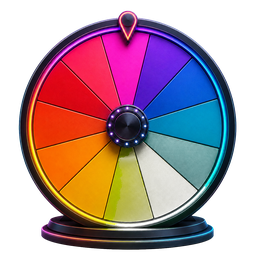 Spin the Wheel
Color, Hair & Style Wheels
Spin a vivid palette to choose a random color for artwork, outfits, games, room ideas, and creative challenges.
Quick utility
Enter valid color names or CSS color values and generate one color with a visible swatch.
Add the valid colors in your palette, then pick one.
The Color Picker Wheel combines familiar color names with matching visual segments. One spin can break a creative block, set a palette direction, or add an unpredictable rule to a game.
Keep the default rainbow-inspired choices or replace them with colors from your own project.
Press SPIN and let the pointer land on one visible color segment.
Use the chosen color as a main shade, accent, drawing prompt, outfit detail, or game assignment.
Choose a dominant color, background shade, limited-palette accent, or sketch prompt.
Pick a clothing color, accessory accent, nail shade, or style-challenge theme.
Assign teams, pieces, categories, building materials, or color-based challenges.
Color Picker Wheel opens with its complete default selection, so you can spin immediately or edit the list first.
Add, rename, remove, shuffle, and recolor entries, then save a named version in your browser.
Your entries and saved wheels stay on this device; no account is needed to use the picker.
Each color occupies a wheel segment. A random stopping angle determines which segment finishes beneath the pointer.
Yes. Add any color name or specific shade, and remove default colors you do not need.
The result is unpredictable before the spin. With each color listed once, all default choices receive an equal chance.
Yes. Name and save the current wheel to keep the palette in this browser.