Meme Challenges
Use meme challenges with the Meme Wheel when you want a quick, visible result without manual bias.
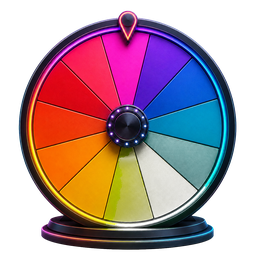 Spin the Wheel
Entertainment Wheels
Add or edit meme entries, spin the wheel, and use the page's dedicated calculator for meme challenges.
Quick utility
Enter or edit memes, then make one random selection for a content prompt, party game, or meme challenge.
Add the memes you want to compare, then pick one.
The Meme Wheel is a focused random picker for meme challenges, content ideas, party games. Its starter list works immediately, while the editor and calculator let you replace every entry with choices that match your activity.
Review the starter entries and add only the meme choices that should be eligible.
Spin the wheel or submit the dedicated calculator to generate an intent-specific result.
Keep the result, remove it for a no-repeat round, or adjust the inputs and generate another choice.
Use meme challenges with the Meme Wheel when you want a quick, visible result without manual bias.
Use content ideas with the Meme Wheel when you want a quick, visible result without manual bias.
Use party games with the Meme Wheel when you want a quick, visible result without manual bias.
Meme Wheel opens with its complete default selection, so you can spin immediately or edit the list first.
Add, rename, remove, shuffle, and recolor entries, then save a named version in your browser.
Your entries and saved wheels stay on this device; no account is needed to use the picker.
Yes. Every Meme Wheel entry is editable, so you can add, rename, remove, shuffle, and save choices that fit your exact use.
Yes. The Meme Wheel uses a new random stopping position each time, and entries listed once begin with equal-sized segments.
Yes. Every Meme Wheel entry is editable, so you can add, rename, remove, shuffle, and save choices that fit your exact use.